

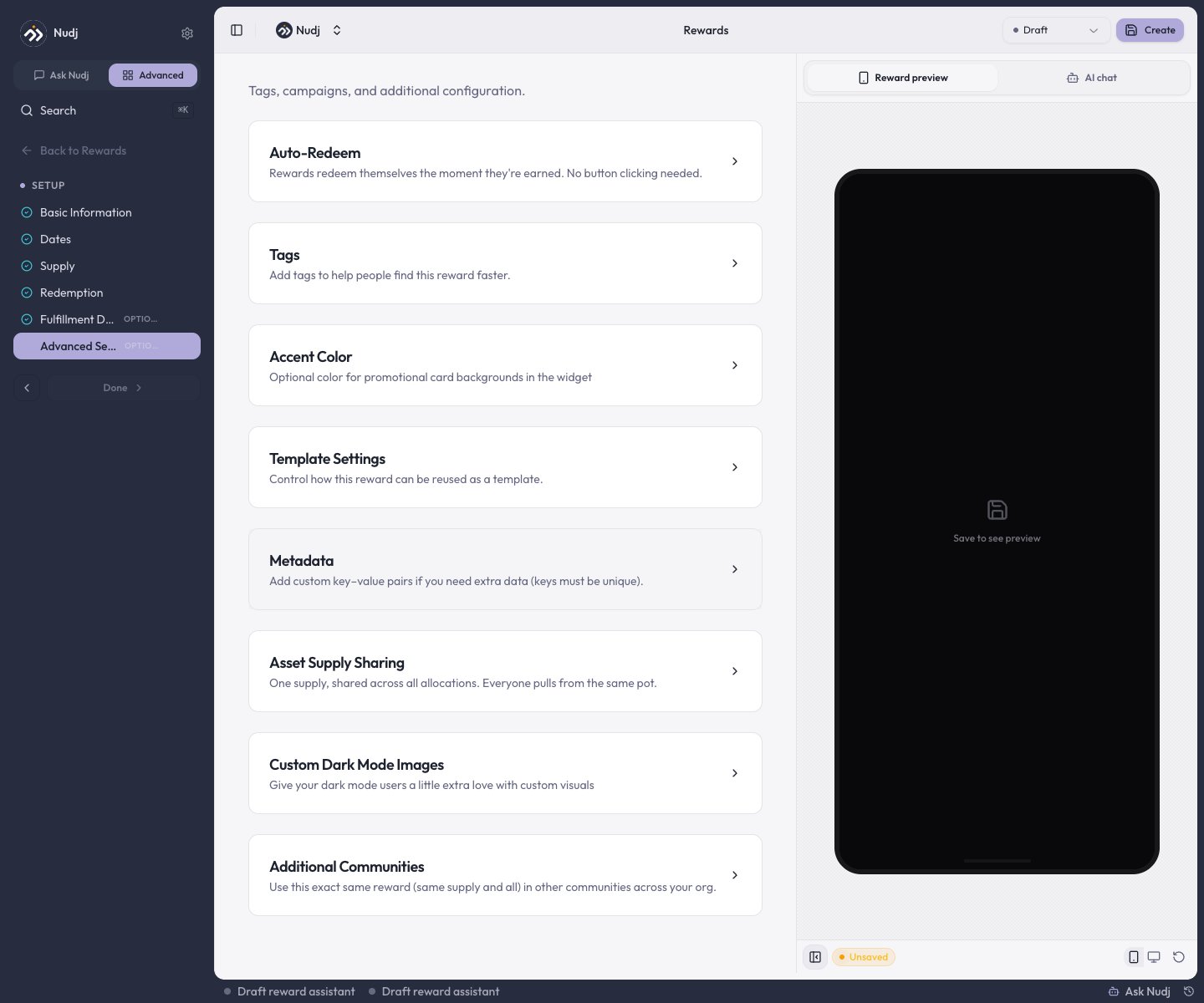
The Advanced Settings step: collapsible sections for auto-redeem, tags, metadata, and more.
Auto-Redeem
“Rewards redeem themselves the moment they’re earned. No button clicking needed.” Turn it on for instant-value rewards where a claim step is friction.- Applies to asset rewards when the asset is earned or bought.
- Badges and boosts force it on (their card is hidden - it’s how they auto-award).
- Auto-redeem silently skips if the reward collects fulfilment details - those need the member’s input at redemption.
- Giveaway prizes don’t auto-redeem: winners claim their won reward from the wallet themselves.
Tags, Accent Color, and Metadata
- Tags - organisation-scoped labels for filtering and reporting.
- Accent Color - an optional color for the reward’s promotional card backgrounds in the widget.
- Metadata - custom key-value pairs (unique keys) for anything you want exposed to integrations and webhooks.
Asset Supply Sharing
“One supply, shared across all allocations. Everyone pulls from the same pot.” With Shared Asset Supply on, the reward keeps a single supply pool no matter how many ways it distributes (challenges, shop, gifts) instead of a separate cap per allocation. Shown for asset-based rewards only.Additional Communities
“Use this exact same reward (same supply and all) in other communities across your org.” Pick extra communities and the same reward document - including its one supply pool - serves all of them.In the additional communities the reward is read-only: to edit it, open it from the community it was created in (the form shows a banner pointing you there).
Custom Dark Mode Images
Template Settings
“Control how this reward can be reused as a template.” Choose which organisations may create copies from it via Available to Organisations; the original is never modified by copies. Super admins additionally get a Global Template toggle that opens it to every organisation at once.Statuses and scheduling
A reward’s lifecycle is its status: Draft (hidden while you build), Live, Scheduled (goes Live automatically at its start date), Archived (retired, kept for records), and Expired. Draft and Archived rewards are never shown to members. There is no per-attachment scheduling on challenges - timing is controlled on the reward itself. Status compatibility keeps combinations sane when attaching a reward to a challenge:
So for a staged launch, attach a Scheduled reward to a Draft or Scheduled challenge and both flip Live on their start dates.
There is also no “delete” for rewards - retire a reward by setting it to Archived.
Gifting-only rewards
There’s no “manual distribution” toggle. To make a reward admin-gifted only, simply don’t attach it to any challenge or the shop, and hand it out via Gift Rewards. Gifts still consume the reward’s supply and respect its per-user cap.Defaults quick reference
A new Regular reward starts with:Who can do what
Gifting is Admin-and-above - it awards currency alongside assets, which Managers can’t create. Viewers see reward pages in a read-only state.
Next steps
Create a reward
The studio walkthrough, including the status dropdown.
Gift Rewards
Hand-deliver rewards to specific members.
Redemption & fulfilment
Auto-redeem vs manual claiming in practice.
Giveaways
Draw mechanics and winner selection.