

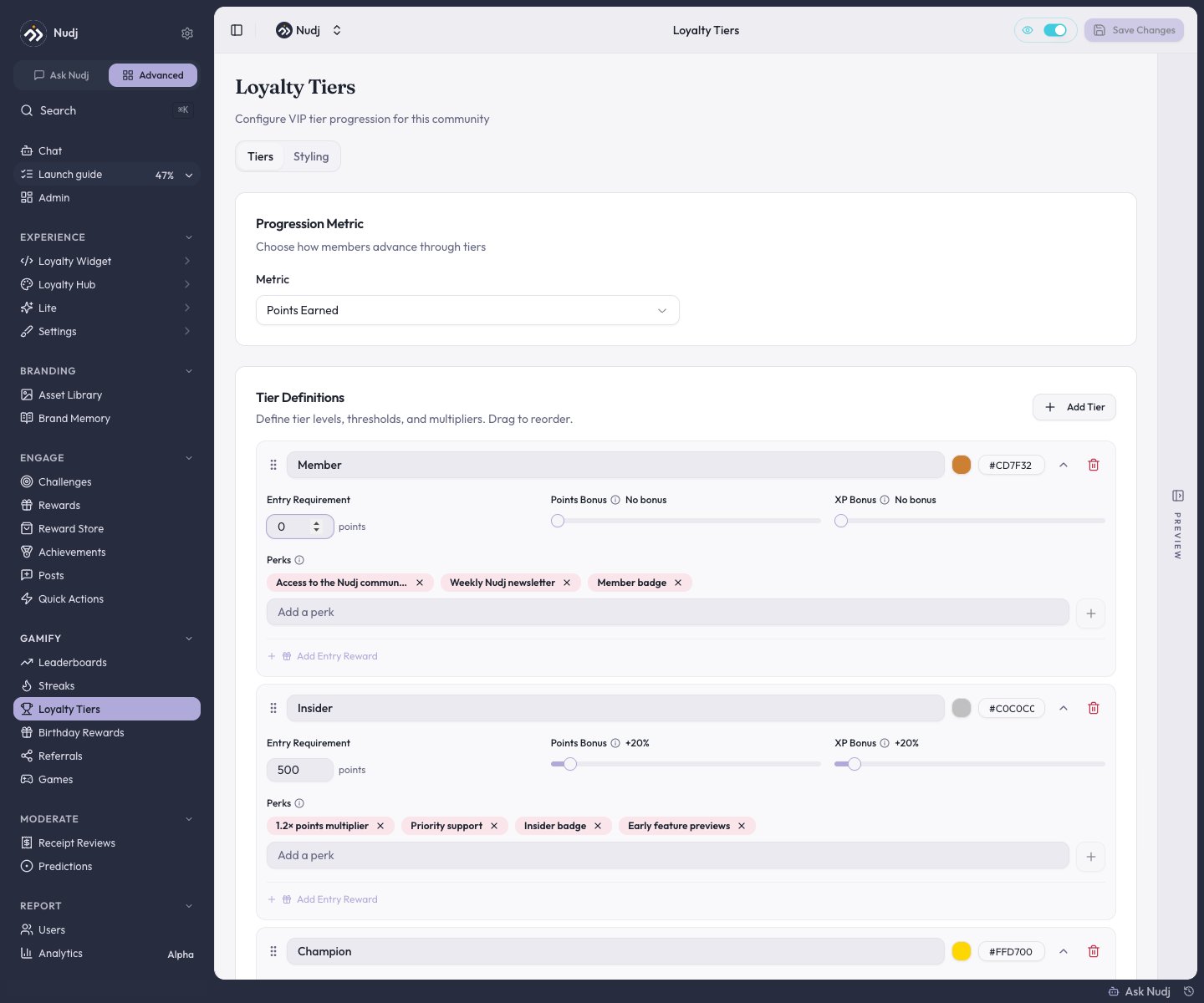
Loyalty Tiers: progression metric, tier definitions with thresholds, multipliers, perks, and entry rewards.
Setting up tiers
Enable and pick a starting point
Tiers start off with no tiers defined. Enable them and either build tiers by hand or pick one of the presets (Classic VIP’s Bronze/Silver/Gold/Platinum, Starter Pack, Fan Tiers, Retail Rewards, and more). Up to 10 tiers.
Choose the progression metric
Points Earned or Amount Spent. This is what moves members up tiers.
Define each tier
Per tier: a name and color, the entry requirement (the metric threshold), optional Points Bonus and XP Bonus multipliers, a list of perks (display copy members see), and an optional entry reward.
Save
Members are evaluated as they earn or spend: crossing a threshold promotes them automatically. There’s no demotion - tiers are lifetime.
What a tier actually grants
- Points and XP multipliers - the mechanical perk. A tier’s bonus applies to everything the member earns while in it (if they also hold a temporary boost, the highest multiplier wins).
- A one-time entry reward - bonus XP, points, and/or a reward delivered once when a member first enters the tier.
- Perks - free-text benefits shown to members (early access, exclusive support). Delivering on them is up to you - there’s no built-in tier gating of challenges or content.
The widget’s loyalty-tiers section has its own Styling tab for how tiers look to members; tier progress uses the tier metric, not XP levels (levels are a separate system configured under XP & Leveling).
Tier insights
The Loyalty Tiers page’s Insights tab shows tier distribution across members, movement over time, revenue summary, and member engagement per tier. Community-wide loyalty stats also appear under Report -> Analytics.Design tips
Next steps
Reward types
Boosts vs tier multipliers.
The Reward Store
Somewhere to spend those multiplied points.
Giveaways
Pair tier entry rewards with prize draws.
Reward analytics
Loyalty stats in Report -> Analytics.